Stop Retyping Email Into Buildium. Merlo AI works inside Outlook and Microsoft Teams alongside your Buildium account. Select an email, tell Merlo what to do, and it creates or updates owners, ownerships, tenants, vendors and board members in Buildium, drafts replies with Buildium context, finds documents and data, and identifies who sent every email – with your manager approving every change.
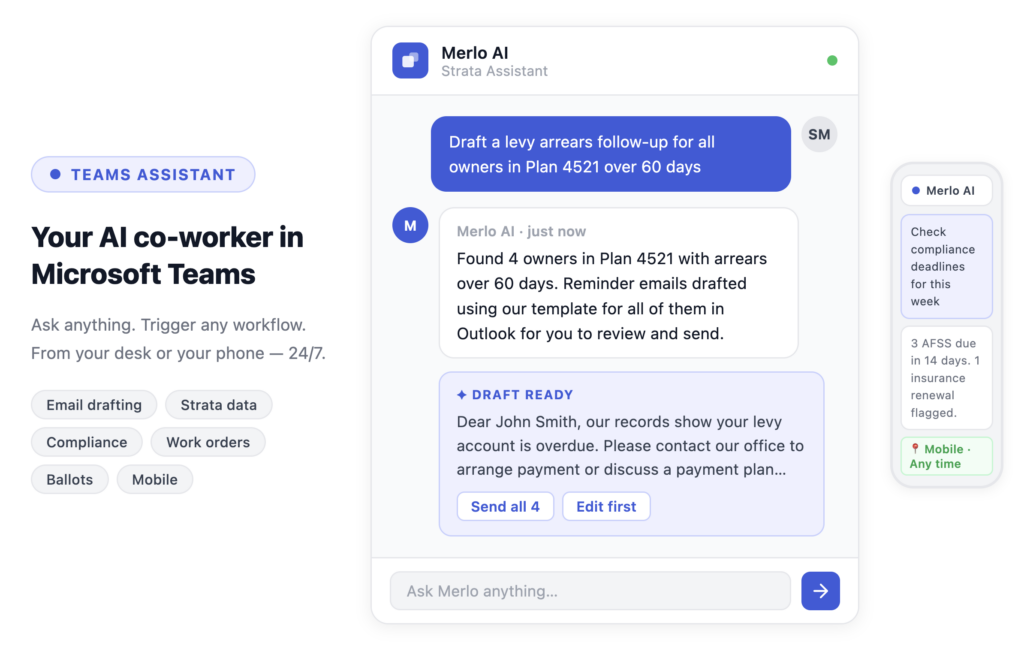
Your AI Co-Worker, Wired Straight Into Buildium
Email arrives in Outlook, but the work lives in Buildium. Someone reads the email, opens Buildium, finds the right record and retypes the details by hand – many times a day. Merlo removes that trip, so your managers act on the email without leaving their inbox.
Update Buildium From an Email
Owners, ownerships, association tenants, vendors, vendor categories and board members created or updated straight from the message – preview, approve, done.
Sales and Ownership Changes
Record a sale from the email that confirms it: Merlo sets up the new ownership account for the buyers and moves the previous one to past. Add a co-owner in seconds.
Board Changes Made Simple
After an election or resignation, add someone to the board, change their position or term, or remove them – right from the email.
Vendors and Insurance
Create a vendor from a contractor’s email, record their insurance provider, policy and expiry, add them to an association’s preferred vendors and spot expiring insurance.
Replies With Buildium Context
Replies are drafted from the owner, unit and association records in Buildium – no lookup first. Your manager reviews, edits and sends.
Know Who Sent Every Email
Owner, board member, tenant, vendor or staff member – recognized with their association and unit the moment the email arrives.
Answers on Demand
Who owns a unit, delinquent accounts with aged balances, what a unit owes, bank and reserve balances, and open or overdue work orders – just ask.
Documents Found and Filed
Find the CC&Rs, rules or budget and answer questions from them, then file certificates, minutes and letters against the right association, unit, owner or vendor.
Work Orders and Resident Requests
Raise work orders from the email that asked for the work, log resident requests and to-dos with photos attached, and file contractor quotes against the job.
How Merlo Works With Buildium
From the email in front of you to an updated Buildium record – with your manager in control at every step.
STEP 1
Select the email
Open any email in Outlook – or drop it into Microsoft Teams – and Merlo recognizes the sender, association and unit.
STEP 2
Tell Merlo what to do
“Add the buyer’s spouse as a co-owner of unit 101.” “Create this vendor with the insurance details from the certificate.”
STEP 3
Preview the change
Merlo shows exactly what it will create or update in Buildium before anything is saved.
STEP 4
Approve
Your manager approves the change – or edits it first. Every reply is reviewed before it’s sent, too.
STEP 5
Done in Buildium
The record is updated, the attachment is filed and the reply is ready – without retyping a thing.
Built for Community Association Firms Ready to Grow
Buildium is our latest integration and our first outside Australia, bringing the experience of Merlo’s Australian strata customers to US HOA, condo and community association firms.
Hours Back Every Day
Data entry, replies, document requests and sender identification handled from the inbox – 1.5 to 2 hours back per person, every day (Merlo’s estimate).
You Approve Every Change
Every create or update is previewed before it’s written to Buildium, and every reply is reviewed before it goes to an owner.
No New System to Learn
Your team works in Outlook and Microsoft Teams, and getting started takes a single onboarding session.
Getting Started
Merlo connects with your firm’s own Buildium credentials, and accesses only what your firm grants.
Buildium Premium
Merlo connects through the Buildium Open API, available on the Buildium Premium plan.
Microsoft 365
Merlo works inside Outlook and Microsoft Teams, so your team keeps working where they already work.
One Onboarding Session
No long implementation project – one session and your managers are up and running.
More Ways Merlo Helps US Association Firms
See how Merlo supports every kind of community association your firm manages.
Community Associations
For management companies running HOAs, condominiums and co-ops.
HOA Management
For HOA managers juggling homeowners, boards, vendors and common areas.
Condo Association Management
For condominium managers looking after buildings, boards and unit owners.
Email Assistant
The Merlo Email Assistant in Outlook – know who’s writing, guide every reply and act on the email in seconds.