Introduction
For most strata management firms, insurance renewal season is one of the most labour-intensive periods of the year. With dozens — sometimes hundreds — of plans renewing at different times, each requiring coordination with brokers, committees, commercial lot owners, and accounts teams, the process hasn’t changed much in decades. It’s still largely manual, largely email-dependent, and largely stressful.
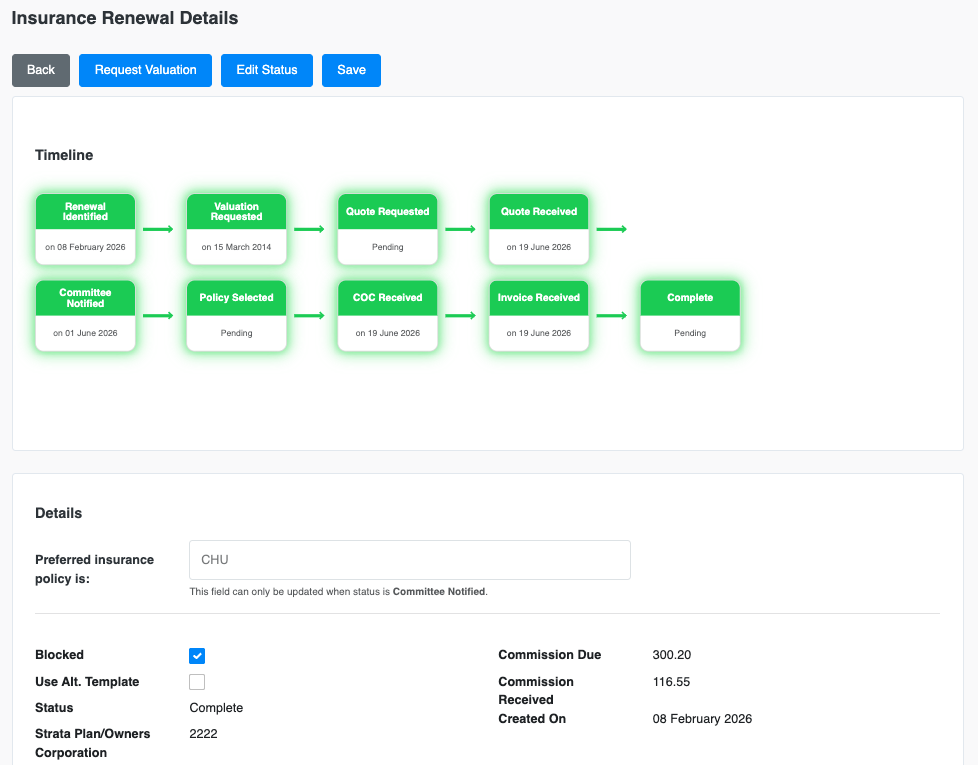
Merlo AI changes that and this is what our customers say about how Merlo AI change their insurance renewals.
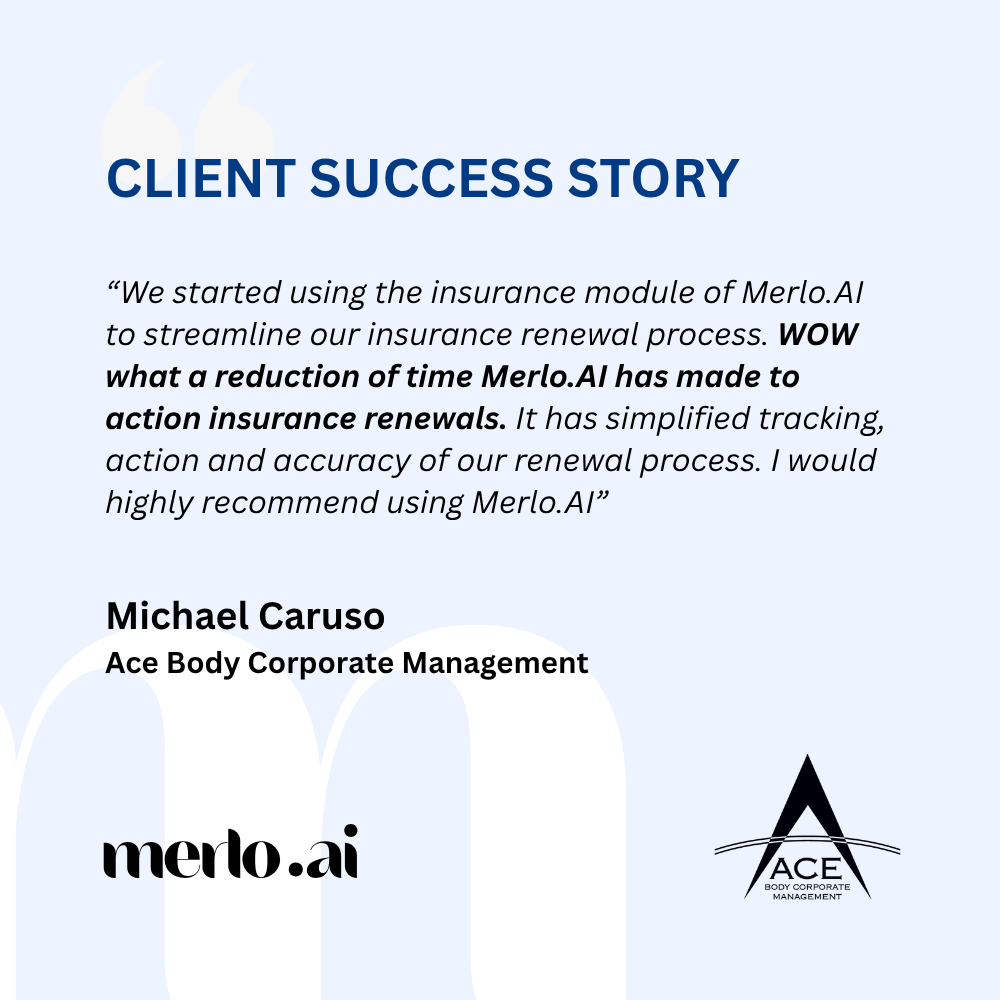
This is how your insurance renewal process look like with Merlo AI.
Step 1: Identifying Upcoming Renewals
Merlo AI reads insurance due dates directly from Strata Master and automatically identifies any plans with renewals due in the next three months. These are added to the Merlo dashboard with the status “Renewal Identified,” and an automated email is sent to the strata manager or insurance renewal lead listing all upcoming renewals. No manual report-running. No spreadsheet.

No need to keep track of insurance renewals yourself. Merlo AI does it all for you.
Step 2: Manager Instructions
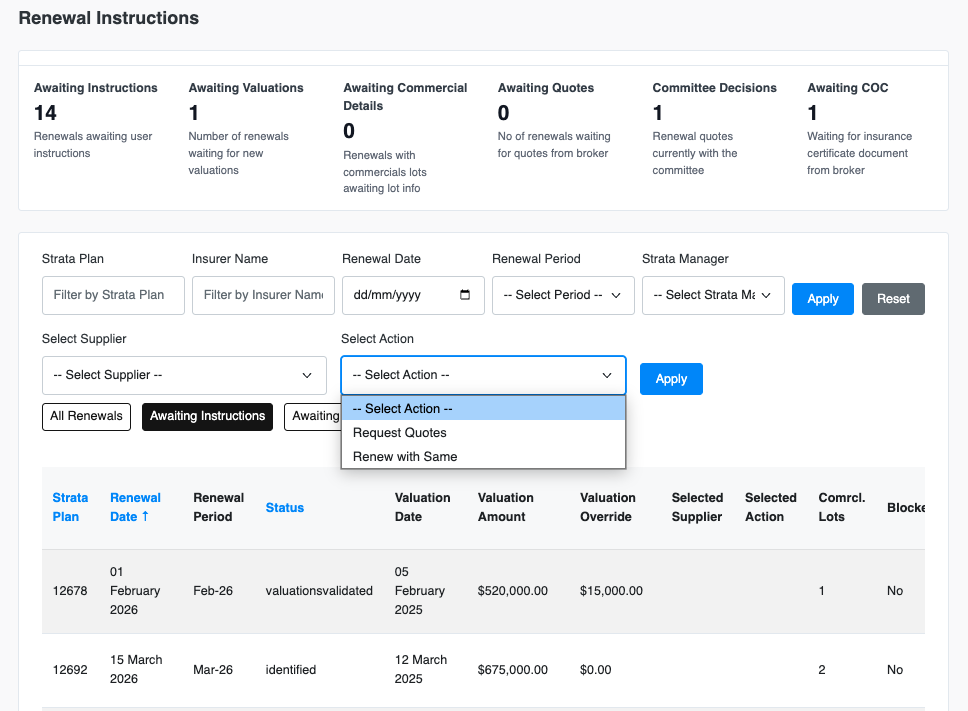
The strata manager logs into the Merlo dashboard and, for each renewal, provides two pieces of information: the desired action (new quotes or renew with the same insurer) and the broker to assign. That’s the only input required from the manager at this stage.
Step 3: Broker Contact
For plans without commercial lots, Merlo immediately emails the assigned broker requesting quotes or renewal confirmation — no manager involvement needed.
For plans with commercial lots, the process pauses. Merlo first emails all commercial lot owners to collect tenant business details, which insurers require for accurate pricing. Once all responses are received, Merlo automatically sends the broker email. If owners don’t respond, Merlo sends reminders and alerts the manager.
Step 4: Receiving Quotes
When the broker’s quote email arrives in the strata manager’s inbox, Merlo detects it automatically using the broker’s email domain and AI-based content recognition. Merlo reads the email, collects all attachments, drafts a committee-ready email using the firm’s own template, files the documents to SharePoint, and sends the strata manager a Teams notification that the draft is ready in Outlook Drafts.
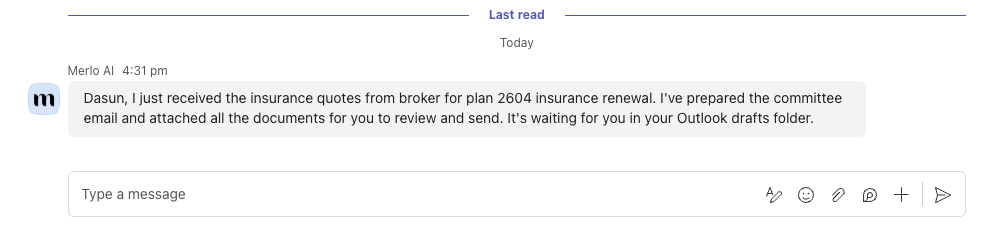
The email are either drafted using your existing templates or by summarising the key information from the proposal. The manager reviews and sends it.
Step 5: Committee Decision
The committee can respond via email, or the manager can create a Merlo ballot to collect the decision digitally — with automatic chasing of non-responders and a formal vote result summary.
Step 6: Binding the Policy
Once the decision is recorded in the dashboard, Merlo generates and sends the broker email instructing them to bind the selected policy.
Step 7: CoC and Invoice
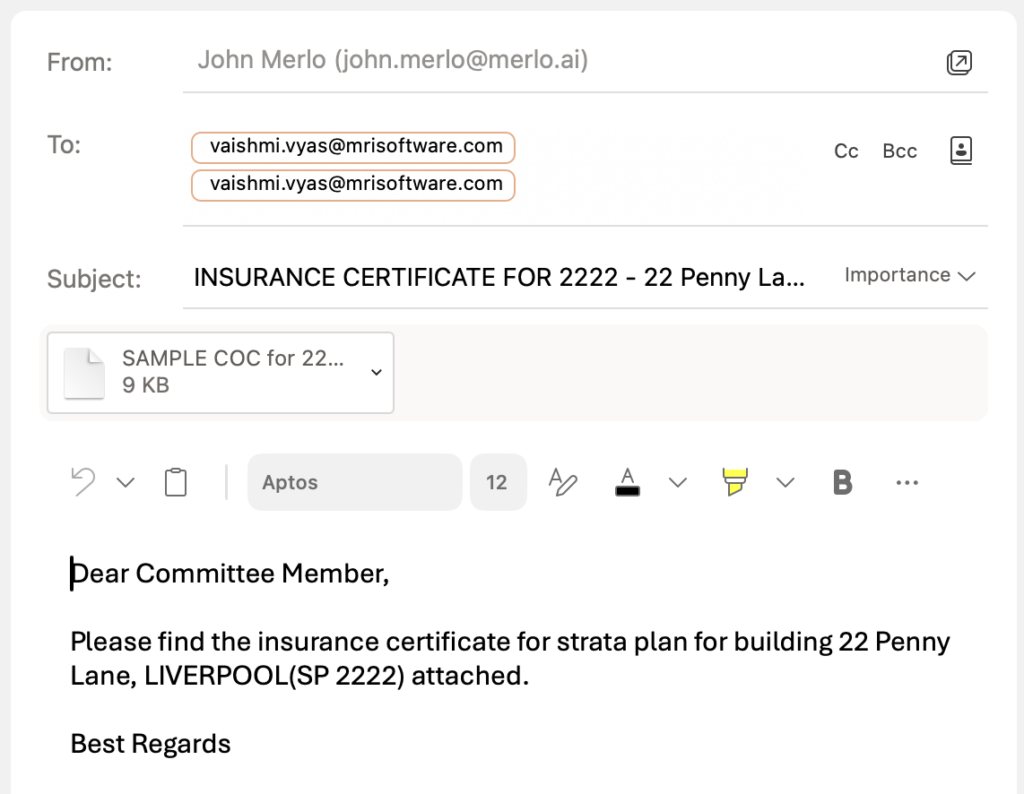
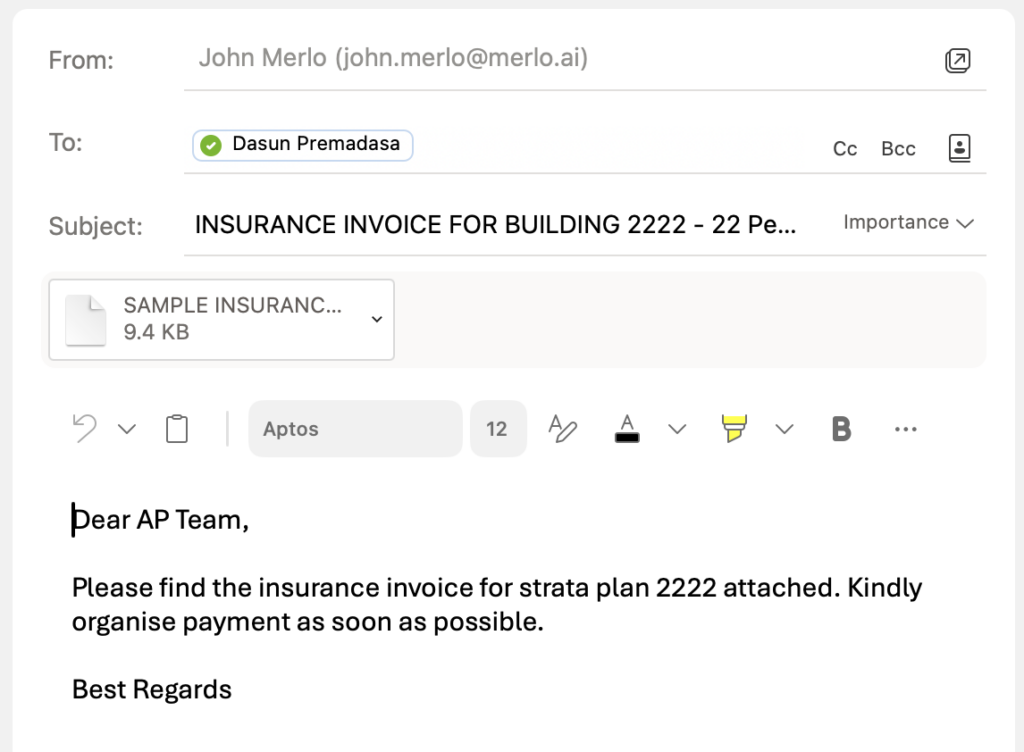
When the Certificate of Currency and invoice arrive in the manager’s inbox, Merlo detects them automatically. It updates the dashboard, then drafts two emails: one to the strata plan’s committee with the certificate, and one to accounts payable with the invoice requesting payment.
Insurance certificate email to committee is ready to go.
Insurance invoice email to accounts team or your SMATA inbox is ready to go.
Step 8: Closing the Loop in Strata Master
Once the invoice is paid, the manager provides the invoice to the Merlo Teams Agent, which reads it, extracts all policy and coverage details, and updates Strata Master. All you need to do is drag and drop the invoice or both insurance certificate and the invoice and ask Merlo to update the insurance details.
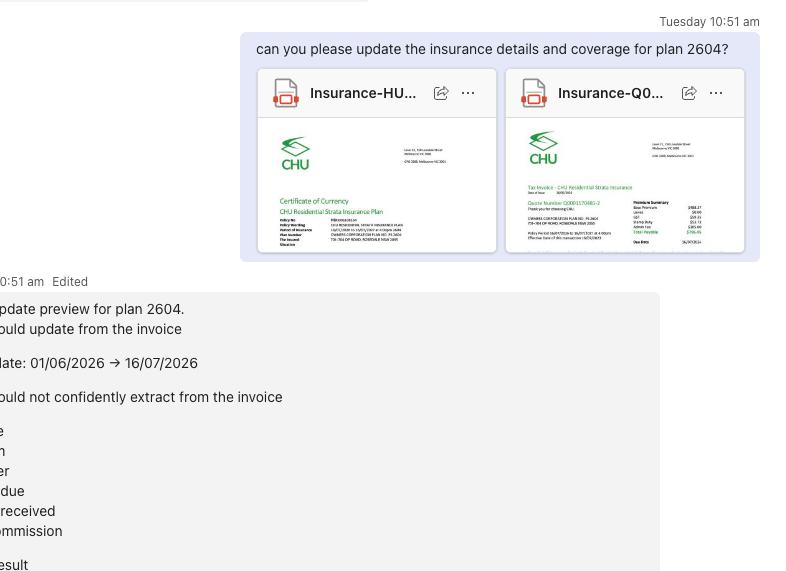
Watch Merlo update the strata system and mark the renewal record complete.
The Result
Every step is tracked. Every document is filed. Every stakeholder is notified. And the strata manager’s direct involvement is limited to a few deliberate decisions — not dozens of manual tasks. This is what Merlo AI brings to your business.