The system uses default lead times to determine when inspection processes should start, counting backwards from the relevant due date. These values are set by the system and cannot be manually edited.
| Schedule Type | Days Before Due Date | When the Process Starts |
| Compliance Due (Annual) | 90 days | 90 days before the AFSS Due Date. |
| Monthly Inspection | 14 days | 14 days before the monthly due date. |
| Quarterly Inspection | 21 days | 21 days before the quarterly due date. |
| Bi-Annual Inspection | 30 days | 30 days before the bi-annual due date. |
- The 90-day, 14-day, 21-day and 30-day reminder alerts alert the strata manager that a compliance task is approaching within these timeframes, and this does not trigger for records where the due date has already passed.
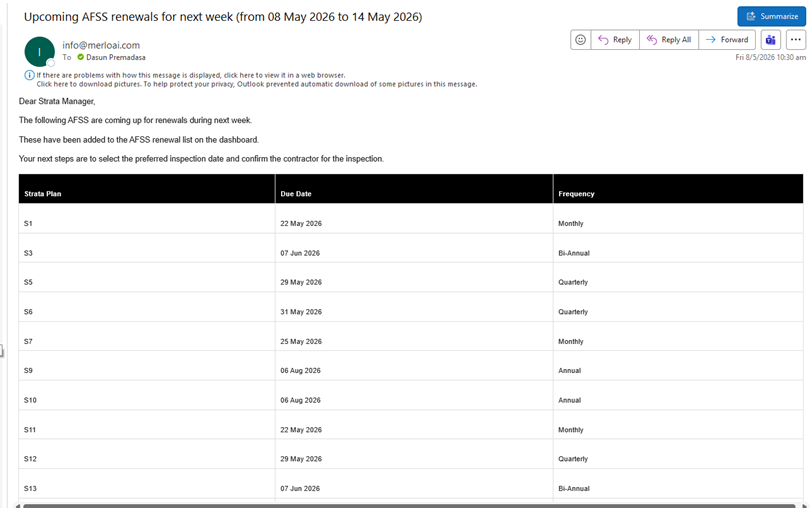
[SCREENSHOT: 90-day reminder email received by the strata manager]


