Table of Contents
This guide explains how to use the AFSS (Annual Fire Safety Statement) Compliance Module. It covers the full workflow from initial data upload through to inspection completion and document submission.
The AFSS Compliance Module enables property managers and strata managers to:
- Upload AFSS compliance data in bulk via CSV
- Track fire safety inspection schedules across multiple inspection frequencies
- Manage contractors and send inspection requests
- Submit AFSS documents to the relevant authorities before due dates
2. Accessing the AFSS Upload Screen #
To begin, log in to the dashboard and navigate to the AFSS upload area using the steps below.
- Log in to the Dashboard.
- From the main menu, select Data Upload.
- Click on AFSS Upload.
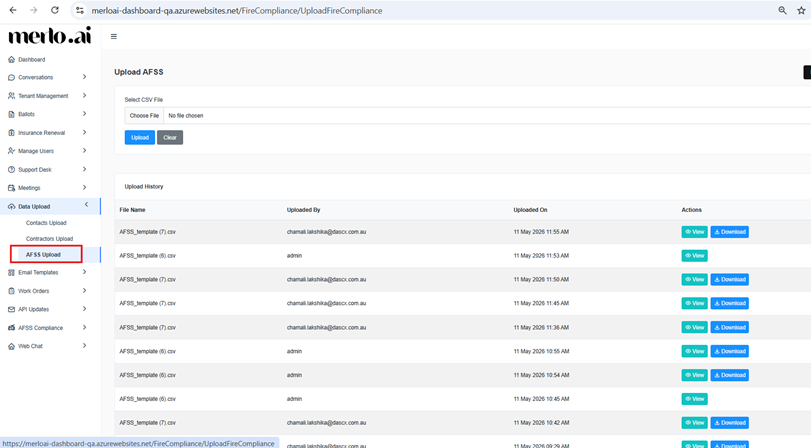
[SCREENSHOT: Dashboard menu showing Data Upload > AFSS Upload navigation path]
- The AFSS Due Date represents the end of the annual compliance year. All inspection documents regardless of frequency; must be submitted to the relevant authorities on or before this date.


